
A merchant deletes a discount app, or deactivates a sale, and assumes the discount is gone. Weeks later a customer checks out at $0, or a “20% OFF” code from a campaign that ended in the spring is still working. Nothing in the Shopify admin looks obviously broken. The store owner just quietly lost money on every order until someone noticed.
This isn’t a one-off bug report. Pulling one-star and two-star reviews across dozens of Shopify discount and promotion apps turns up the same shape of complaint again and again, going back years: a discount created by an app keeps applying at checkout after the app is uninstalled, after the sale is supposed to have ended, or after the merchant thinks they turned it off. Shopify has never closed this gap, because the platform is behaving exactly as designed — it’s the *configuration* that’s wrong, not the checkout engine.
Why the discount doesn’t die with the app
A DiscountCodeApp or DiscountAutomaticApp is a first-class object in Shopify’s Admin API, independent of the app that created it. Uninstalling an app removes the app’s access token and its webhooks — it does not touch the discount records that app created earlier. If that discount was set up with no end date (endsAt: null) and status ACTIVE, it keeps running forever, or until a human finds it in Discounts and turns it off by hand.
The same gap shows up in a few other shapes:
- Open-ended app discounts. A campaign discount is created by an app with no expiry date. The campaign ends in the merchant’s head, not in Shopify’s data.
- Discounts that stack when they shouldn’t. Two automatic discounts both have
combinesWithpermissive enough to let each other through, so a customer gets both a store-wide sale and a promo their cart happened to qualify for — on every order, with nothing for the shopper to do. - Combinations that push price to zero. A percentage-off stacked with a fixed-amount-off can drive a variant’s price below what the merchant intended, sometimes to $0, if the discounts are evaluated in the wrong order or nobody modeled what happens when both fire at once.
- Codes with no real usage cap. A code discount created through the default admin flow comes back with
appliesOncePerCustomer: falseand no usage limit unless someone explicitly checks those boxes — so the same customer can redeem it over and over.
None of this requires a bug in Shopify, or in the app. It requires nobody checking back on a setting that was correct on the day it was created.
How to check this yourself, right now
You don’t need a tool to do a first pass. In your Shopify admin:
- Go to Discounts and sort by status. Anything Active with no end date and no obvious owner is worth a second look — especially if the title mentions an app you no longer use, or don’t recognize.
- Open each automatic discount and check Combinations. If two automatic discounts both allow the other’s discount class, they can stack on the same order without either one being “wrong” on its own.
- For code discounts, check whether usage limits and one use per customer are actually set. The Shopify admin leaves both off by default, which is fine until a code leaks.
- If you’ve recently uninstalled an app that managed discounts or promotions, go straight to Discounts and look for anything it left Active.
This catches the obvious cases. What it doesn’t catch is a sudden spike in redemptions on a single code (which usually means the code leaked somewhere public), or a price-to-zero combination buried in variant-level math across a few hundred SKUs — those need daily history and the actual pricing formula, not a glance at the list.
What we built instead of checking by hand every week
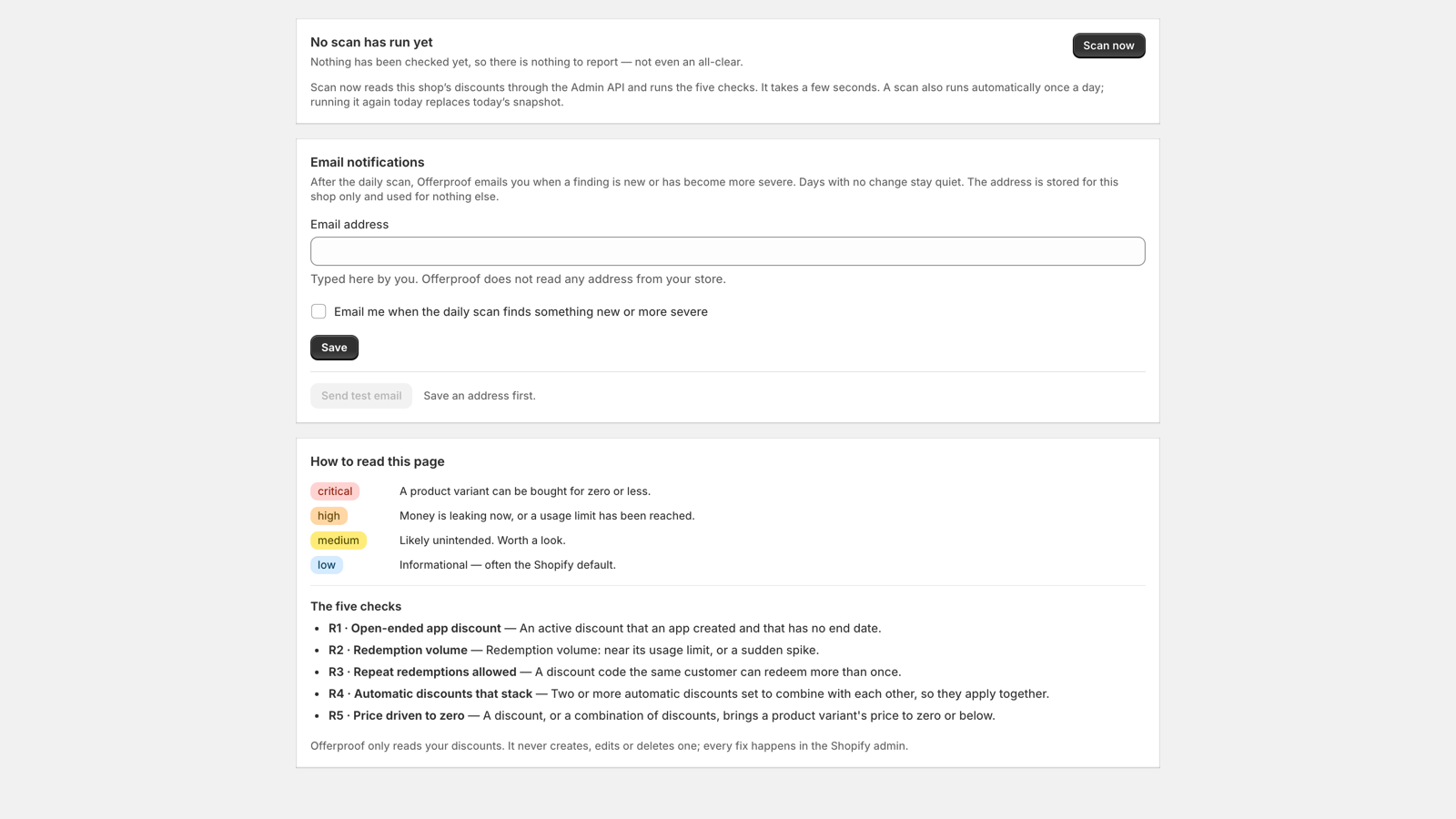
Offerproof is a Shopify app that reads your store’s discounts once a day and reports exactly the patterns above, ranked by severity: open-ended discounts still attributed to an app, automatic discounts that stack, combinations that drive a variant’s price to zero or below, and redemption counts that spike against their own recent history. It doesn’t touch your discounts — no editing, no disabling, nothing written back. It reads, and it tells you what it found and why.
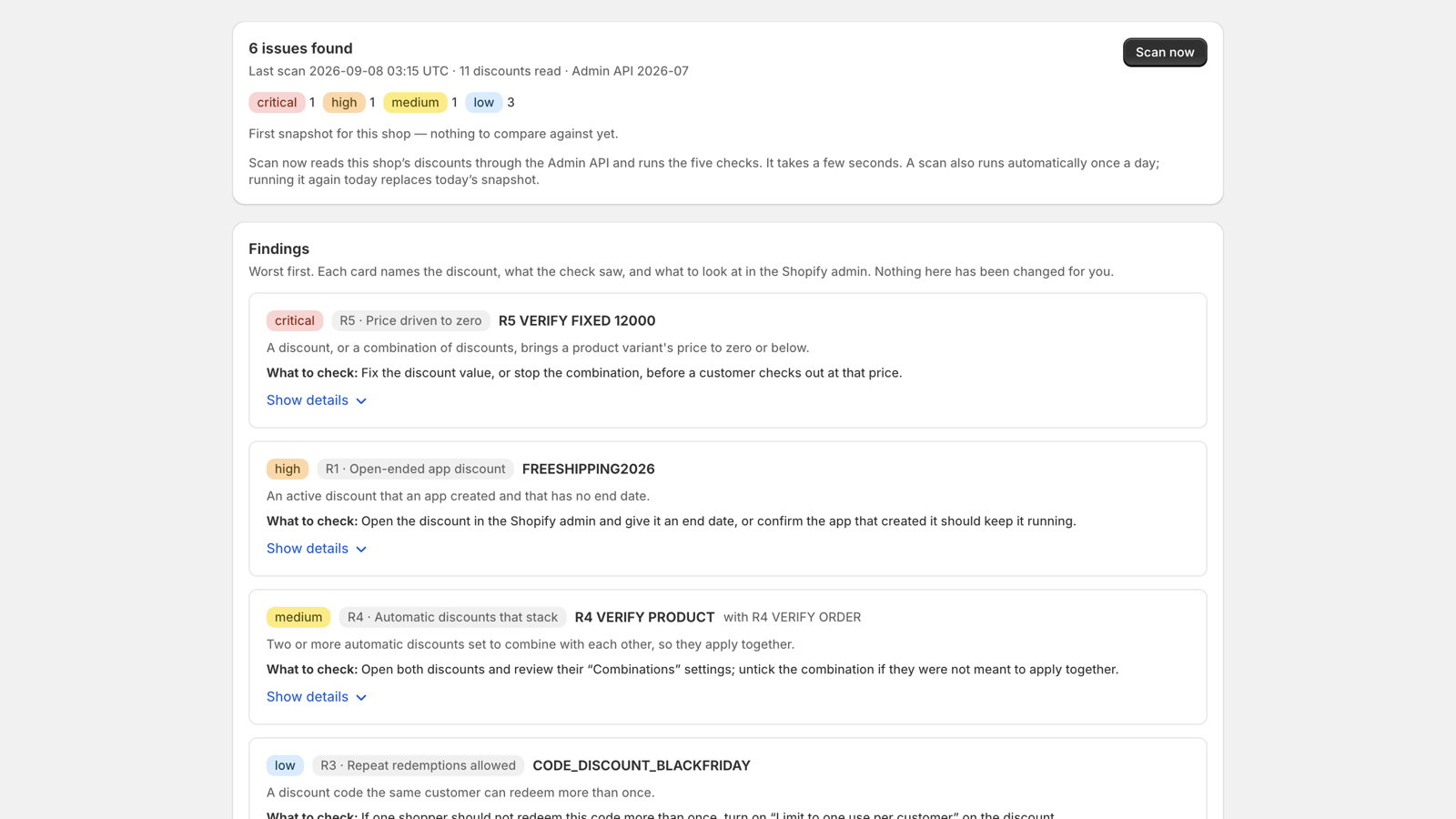
Every finding explains itself instead of just flagging a number. Expand one and it shows exactly what it’s comparing:
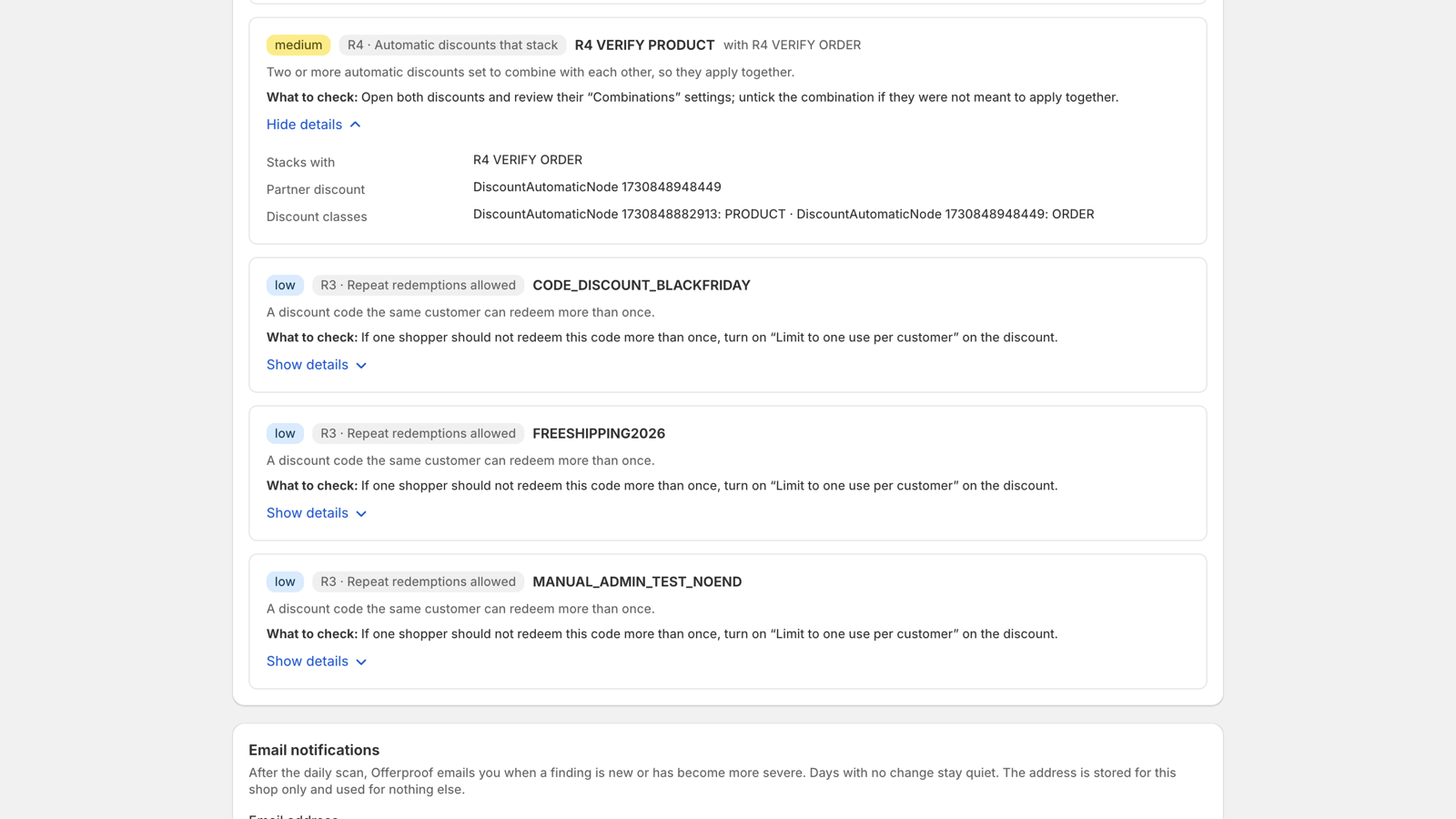
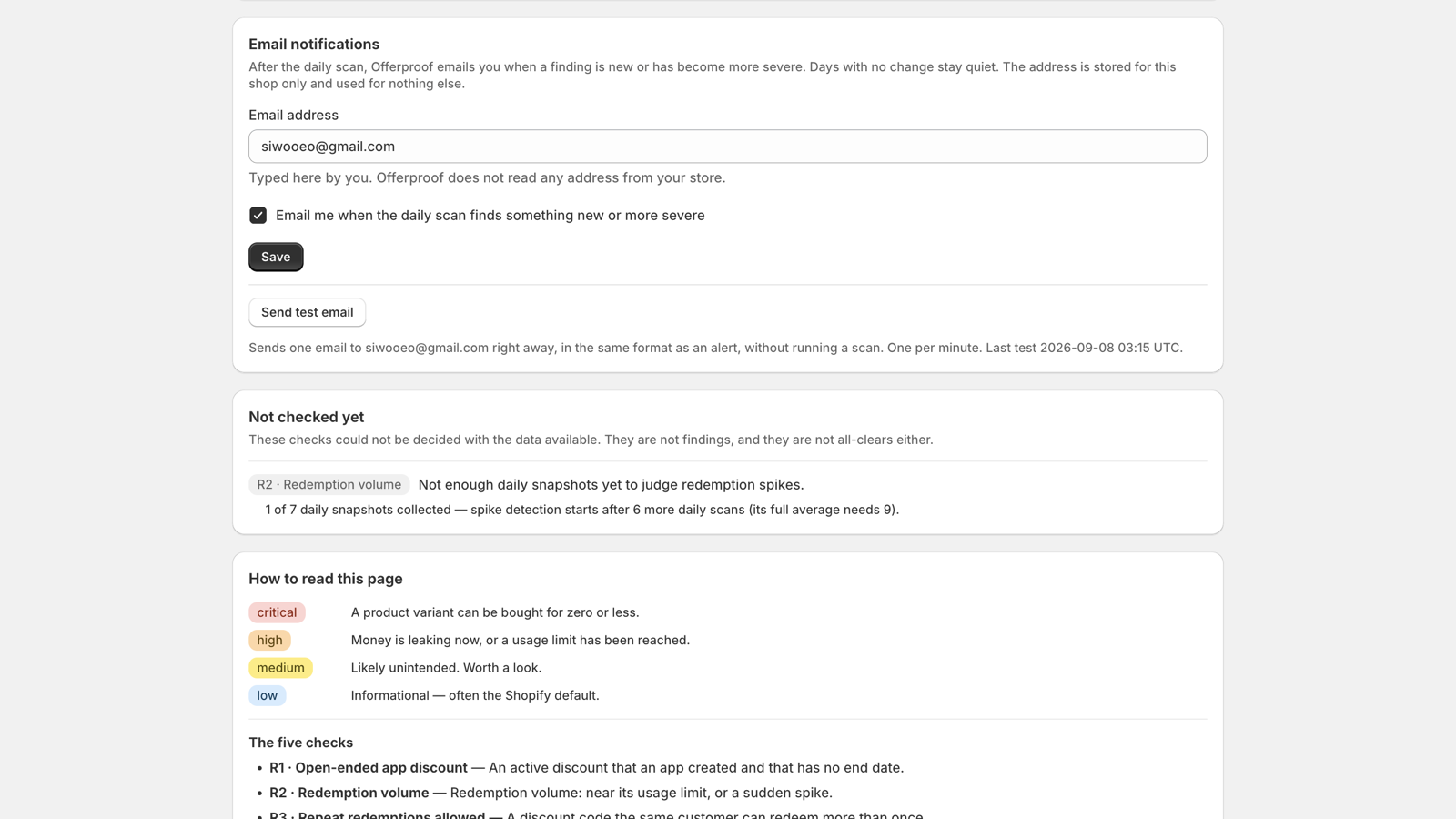
You can turn on email notifications so you find out the day something changes, instead of the day a customer emails you about a $0 order:
A clean store looks like this — the app says so explicitly, it doesn’t just stay quiet:
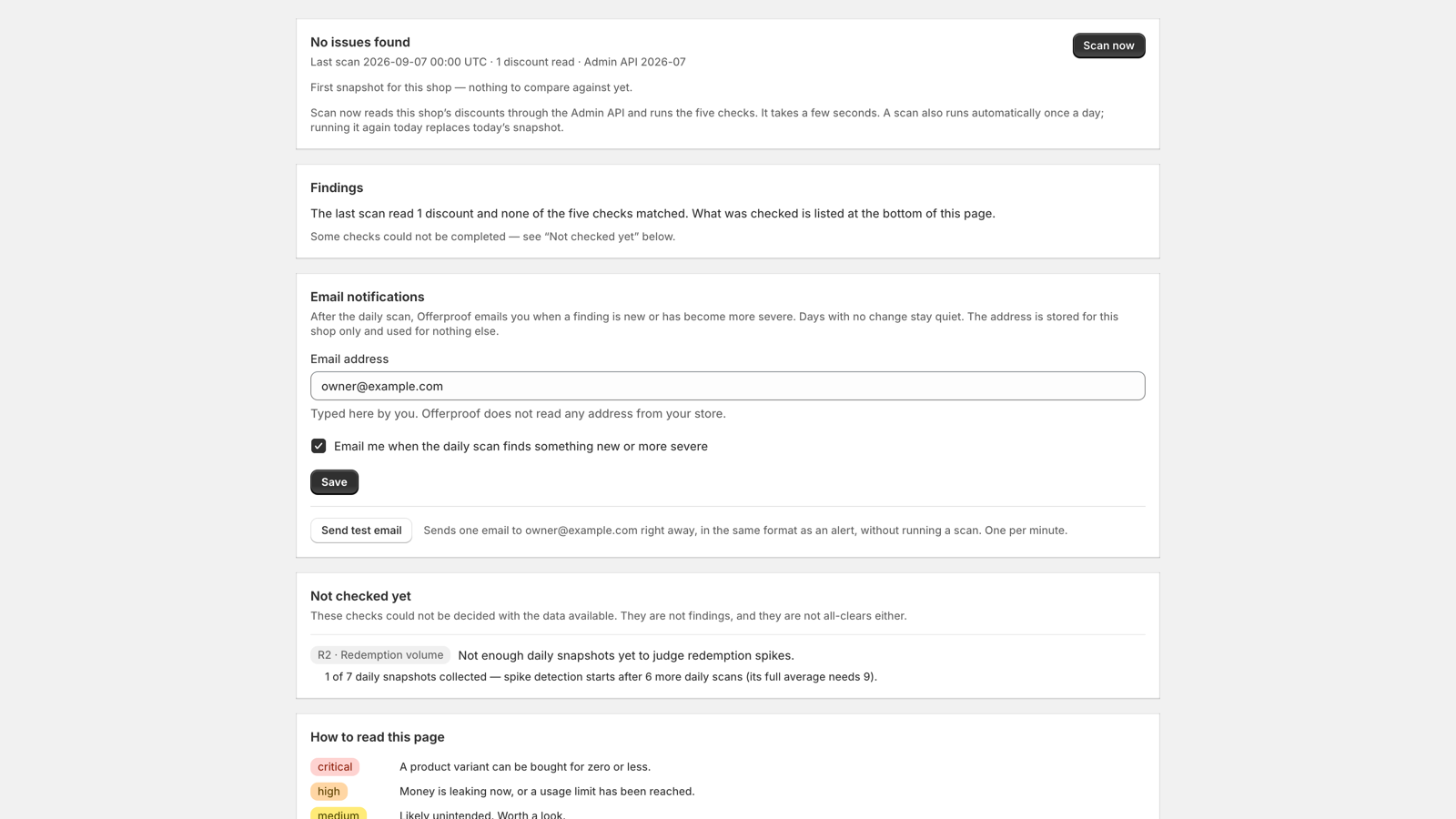
And running the first scan takes one click:
If you’ve ever found a discount that outlived the reason it existed, Offerproof is built to catch it before a customer does.