
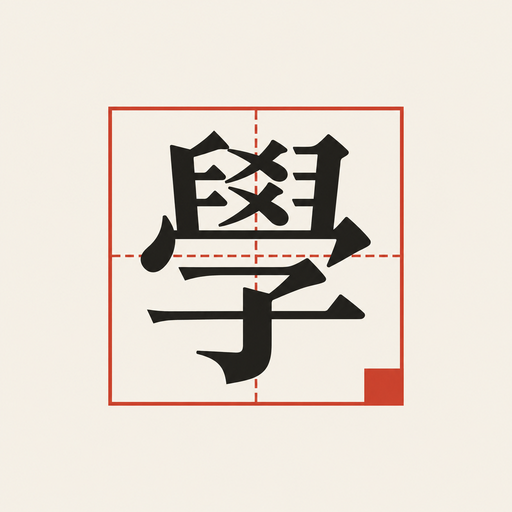
If you have ever stared at a Hanja character on an old document, a textbook, or a restaurant sign and had no idea how to read it, you know the problem. You cannot type a character you cannot pronounce, and swiping through stroke-count charts is slow and frustrating.
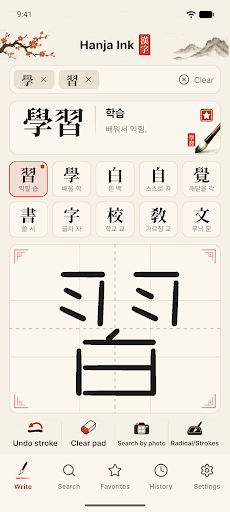
I built Hanja Ink because I kept running into this myself. Hanja, the Chinese characters used in Korean (the same family as Japanese kanji and Chinese hanzi), still show up in Korean names, legal documents, classical texts, and even casual signage, and there was no fast way to look one up by just drawing what I saw. So I built a dictionary where handwriting recognition is the front door, not an afterthought, and packed a full offline dictionary behind it.
What it does
- Handwriting lookup, offline: the writing pad opens the moment you launch the app. Each stroke is recognized as soon as you finish it, and candidates appear with their Korean meaning and reading. After a one-time download of the recognition model, it works with no internet connection.
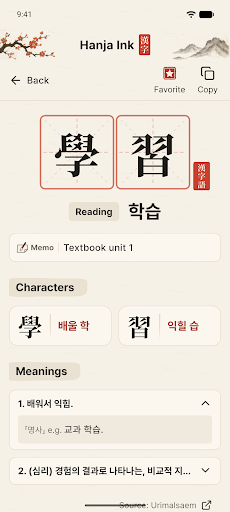
- Multi-character word search: tap a candidate to add it to the input line, then keep writing to spell out multi-character words such as 學習. If nothing matches exactly, you get words that start with those characters instead.
- Photo lookup: take a photo of a book, document, or sign (or pick one from your gallery), select the part you want recognized, and the characters appear one by one as chips you can add selectively. Long-press any misread character to swap or rewrite it, or trace directly over the photo.
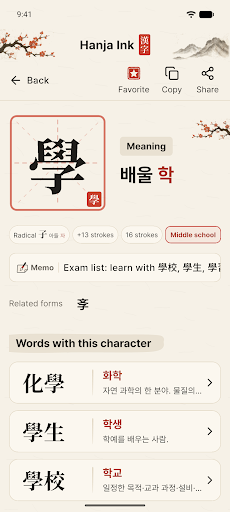
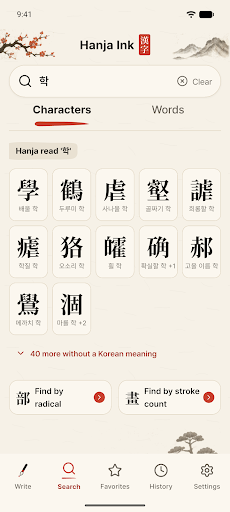
- Search by reading, radical, or stroke count: type a Korean reading like 학 to find 學, browse the 214 radicals, or filter by total stroke count when you have nothing else to go on.
- A real dictionary underneath: 27,825 characters and 238,099 Hanja words, with definitions sourced from Urimalsaem by the National Institute of Korean Language, plus favorites with notes, export/import for switching phones, and a “Find Hanja” shortcut in the Android text selection menu.
This is built for anyone navigating Korean text that includes Hanja: students working through the 1,800 basic education characters, people reading older Korean documents or family records with Hanja names, Korean learners who hit a wall when a character is not in their textbook glossary, and members of the Korean diaspora trying to make sense of a grandparent’s handwriting or a family register. If Korean study, Korean heritage, or everyday life in Korea keeps putting unfamiliar Hanja in front of you, this is the lookup tool I wished existed.
Hanja Ink is live on Google Play now. Download it, let the recognition model finish its one-time setup, and the next time a character stumps you, just trace it with your finger.