
If you’ve ever needed to add a watermark to your photos — whether it’s a copyright notice, signature, social handle, or date — you know the drill usually involves clunky desktop software or overly complex mobile apps. I built Photo Watermark: Logo & Text because there had to be a faster way. Pick a photo, drop a watermark on it, adjust it with your fingertips, and you’re done.
The app has been available on iOS for a while now, and today I’m excited to bring it to Android on Google Play. If you’ve been waiting for an Android version, or if you’re new to the app entirely, this release is for you.
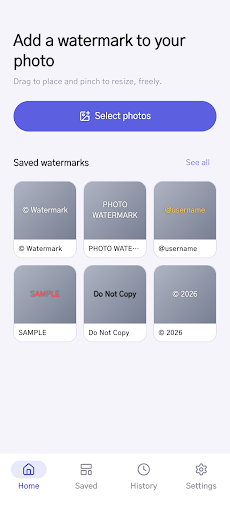
I built this app because I was tired of switching between tools. I wanted something that let me watermark a single photo in under 30 seconds, or batch-process 50 photos without fiddling through menus. More importantly, I wanted to own my photos — no cloud syncing, no login, no mysterious uploads to some server. Everything stays on your device, encrypted and private.
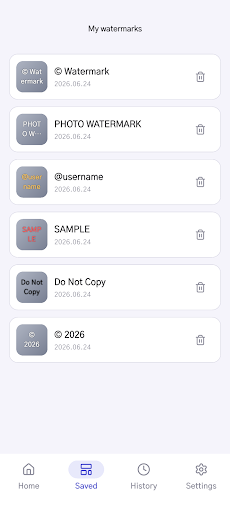
The core idea is simplicity without sacrifice. You get real flexibility (drag, pinch, rotate), but none of the bloat. And if you’re watermarking multiple photos with the same design, the app remembers every watermark you’ve ever used, so you can reload it with a single tap.
What It Does
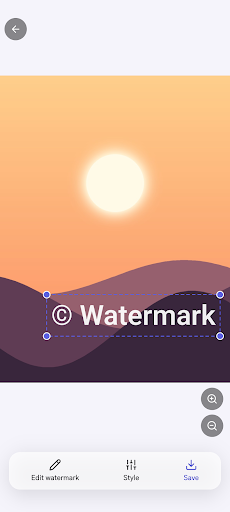
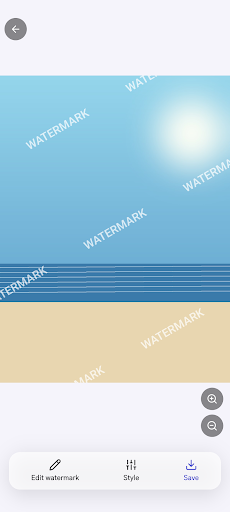
- Single placement or full tile. Drag your watermark where you want it, or spread it diagonally across the whole photo to discourage cropping or unauthorized reuse.
- Text and logo watermarks. Type custom text (with full control over font, color, opacity, and size), or load your own logo or signature image.
- Batch processing. Select multiple photos from any album and apply the same watermark to all of them in one go.
- Automatic saving. Every watermark you create — text, logo, style, placement — gets saved automatically so you can reuse it next time without rebuilding it.
- Complete privacy. No login, no sign-up, no data collection. Import and export all your settings as a zip file whenever you want.
This app is built for anyone who shares photos online and wants to protect or brand them: photographers adding copyright marks, creators signing their work, small businesses protecting product images, or anyone who just wants to add a consistent watermark to their social media uploads.
If you’re an Android user and you’ve been looking for a lightweight, private watermarking tool, Photo Watermark is now on Google Play. Give it a try — no account required, and all your photos stay on your device.
Play Store에서 다운로드: Photo Watermark: Logo & Text
iOS(App Store)에서도 다운로드: Photo Watermark: Logo & Text
Official page: reactiveworks.dev/apps/photowatermark
Update history: ahngo13.github.io
Leave a Reply