If you scan QR codes daily for orders, Wi-Fi, and payments, or if you need to create them for your shop or business, you’ve probably noticed how clunky the typical workflow is. Most QR tools make you jump between apps, sign up for accounts, or settle for plain black-and-white squares. I built QR Anywhere to fix that.
I created this app because I was frustrated with the fragmentation myself. I’d scan a QR code with one app, then switch to another to create one, then wrestle with a third tool just to add a logo. Meanwhile, everything was either going to someone’s server or locked behind a login wall. I wanted a single, simple, private QR toolkit that worked entirely on my phone—and I suspect a lot of other people did too.
What it does
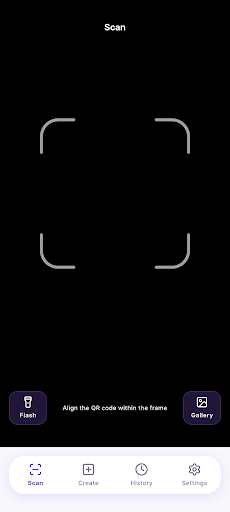
- Fast QR and barcode scanning — Point your camera and it reads instantly. Use the flashlight in dark places, or decode QR codes directly from screenshots and photos in your gallery.
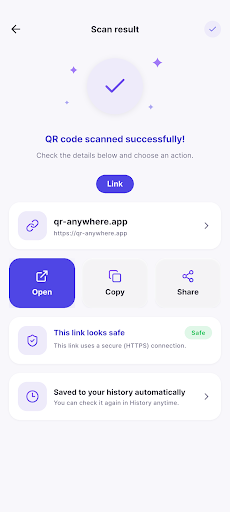
- Smart actions on scan — The app detects what you’ve scanned and offers the right action. Open links in one tap, connect to Wi-Fi networks, add contacts to your address book, or open locations in maps. No copy-paste needed. It also flags whether links are using a secure connection.
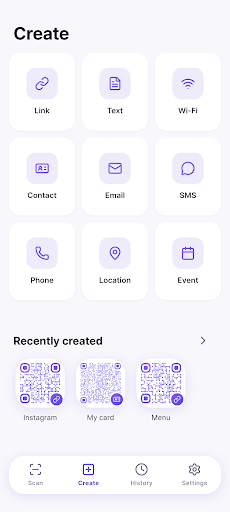
- Create 9 types of QR codes — Generate QR codes for links, text, Wi-Fi credentials, contact cards, email, SMS, phone numbers, locations, and calendar events. Watch the QR code update live as you type.
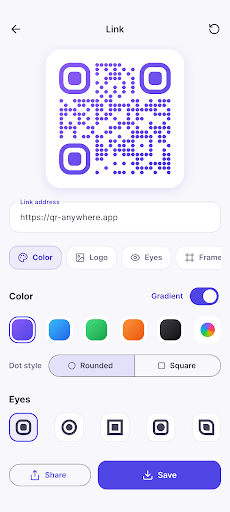
- Style your QR codes — Apply colors and gradients, drop your logo in the center, and customize the corner eyes and frames. Built-in scan verification ensures your styled QR still works after adding a logo, so you can create branded codes with confidence.
- Auto-saved history — Everything you scan and create is organized automatically. Browse by date, search by keyword, and reopen any created QR to keep editing its design.
All exports are high-resolution and sharp enough for print. You can save finished QR codes as crisp images or share them straight to your favorite apps.
Who it’s for
If you run a shop and need Instagram or menu QR codes on your tables, you’re a marketer tired of plain designs, you scan QR codes every day, or you simply want to share your contact card or Wi-Fi password the clean way—this app is made for you. There’s no sign-up, no account, and no server uploads. Your scan and creation history stays on your device only. Dark mode is supported, and the app works fully offline.
QR Anywhere is free on Google Play, and it’s ready to use right now. If you have questions or feedback, you can reach me anytime via Settings → Send feedback in the app. Give it a try and let me know what you think.
Play Store에서 다운로드: QR Anywhere – Scan & QR Maker
Official page: reactiveworks.dev/apps/qranywhere
Update history: ahngo13.github.io
Leave a Reply